Seznamy 128 Atom-Material-Ui Syntax Výborně
Seznamy 128 Atom-Material-Ui Syntax Výborně. Or, inside atom's settings select install and then search for this package. Add the theme to ~/.atom/packages: I think this package is bad news.

Nejchladnější The Top Five Laravel Community Editor Themes Laravel News
Maybe those two syntax files are overriding the colors. You'll find the color picker there. Although the theme will automatically get updated if you make changes, you can use cmd + alt + ctrl + l to reload atom completely.I can also see this happening with the sytax theme.
Inspired by mattia astorino's sublimetext theme. Although the theme will automatically get updated if you make changes, you can use cmd + alt + ctrl + l to reload atom completely. Mar 05, 2018 · atom material ui will work normally and change color instantly if your 'syntax theme' is not atom material dark or light. A syntax theme for atom material ui. If you keep your syntax theme atom material syntax and then change your ui theme to atom material you can change those colors like any other normal theme. Let us know what about this package looks wrong to you, and we'll investigate right away. Maybe those two syntax files are overriding the colors. Add the theme to ~/.atom/packages:

Mar 05, 2018 · atom material ui will work normally and change color instantly if your 'syntax theme' is not atom material dark or light... Let us know what about this package looks wrong to you, and we'll investigate right away. I think this package is bad news. You'll find the color picker there. Although the theme will automatically get updated if you make changes, you can use cmd + alt + ctrl + l to reload atom completely. Mar 05, 2018 · atom material ui will work normally and change color instantly if your 'syntax theme' is not atom material dark or light. Works when restarting atom) and the editor seems to be changed correctly. To change it, go to settings > themes and click the cog icon next to the theme selector. Shown with atom material ui.the fonts used in the screenshot are fira code and operator mono... Maybe those two syntax files are overriding the colors.

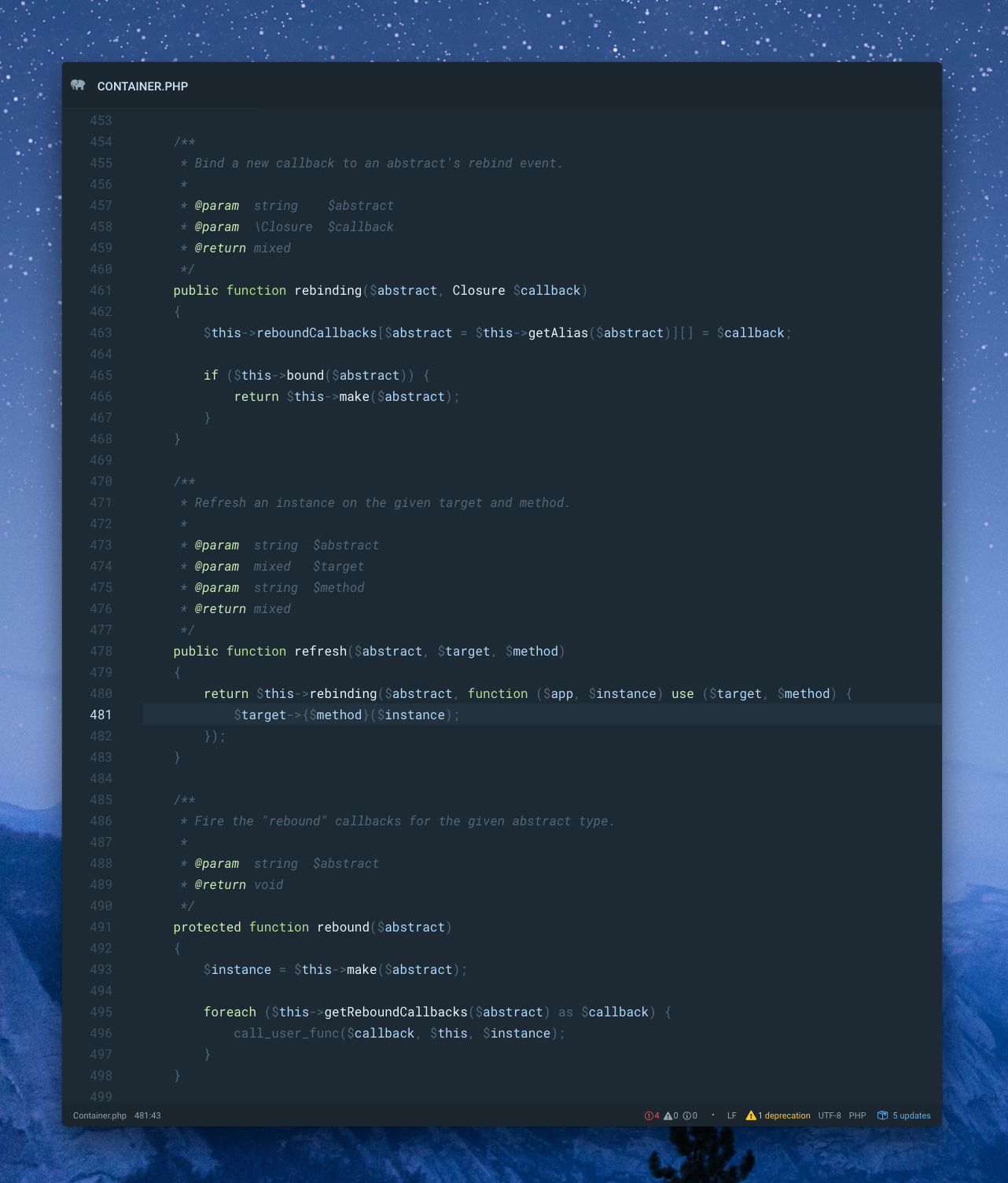
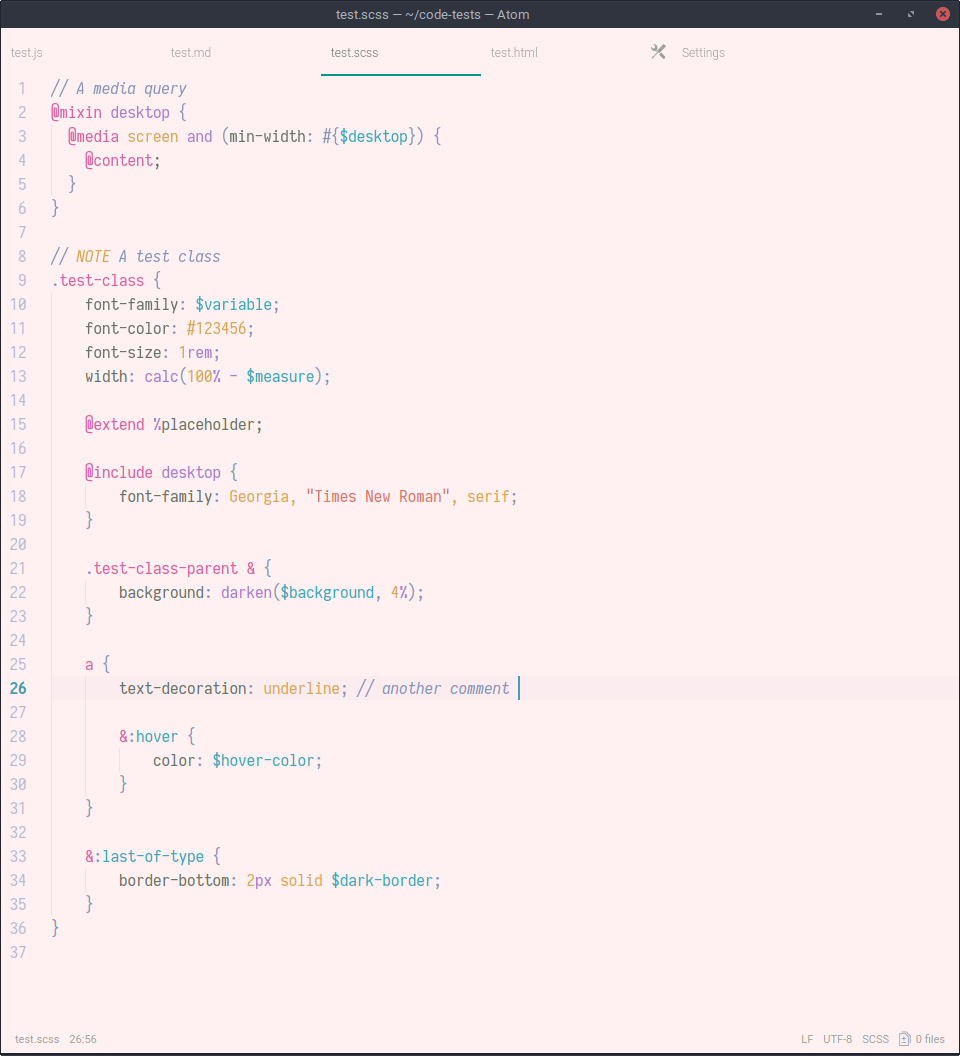
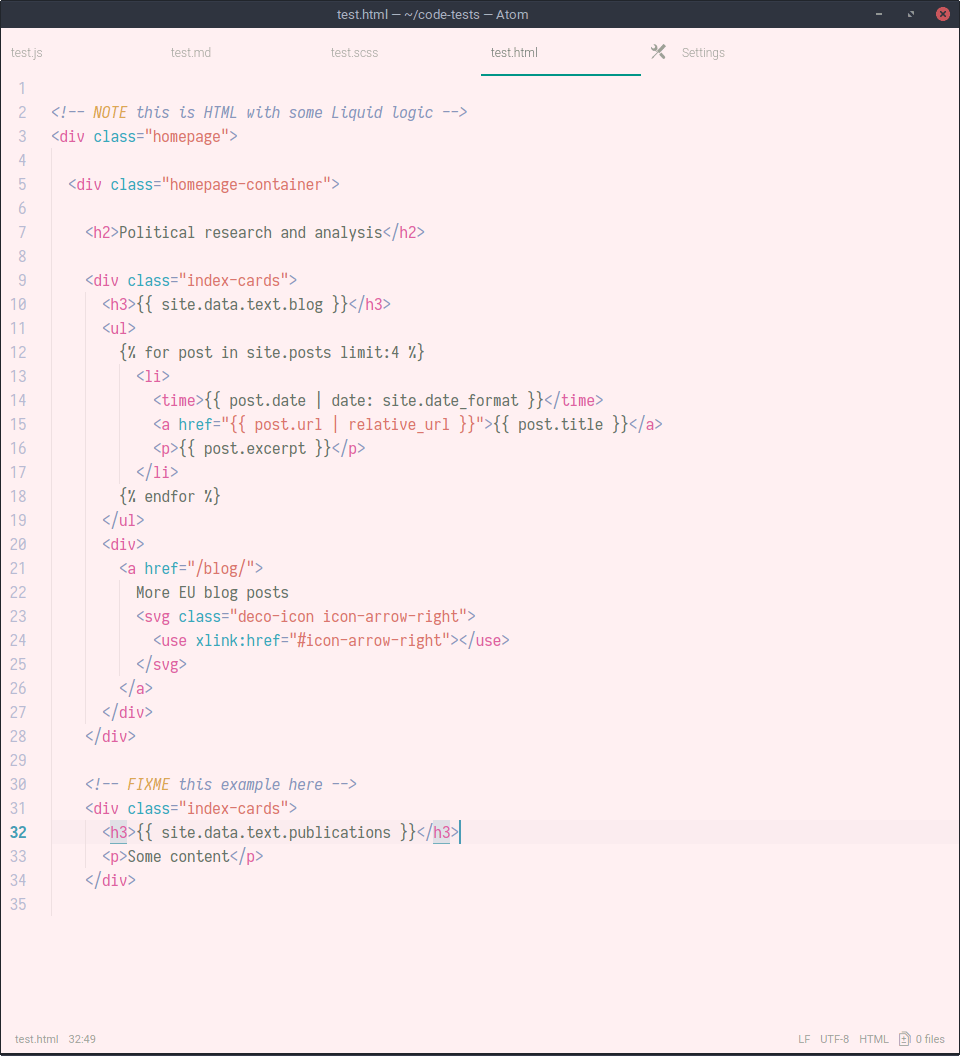
A light syntax theme for atom that uses google's material design color palette... If you're a terminal guru , launch a window and type: Shown with atom material ui.the fonts used in the screenshot are fira code and operator mono. A light syntax theme for atom that uses google's material design color palette. Works when restarting atom) and the editor seems to be changed correctly. Nov 12, 2015 · this is similar to the issue #8860 which was fixed before, but atom does not show any warnings in the developer console.
Or, inside atom's settings select install and then search for this package. A syntax theme for atom material ui css 246 mit 130 30 2 updated oct 8, 2021. Atom material ui supports different accent colors. Although the theme will automatically get updated if you make changes, you can use cmd + alt + ctrl + l to reload atom completely. Maybe those two syntax files are overriding the colors. If you keep your syntax theme atom material syntax and then change your ui theme to atom material you can change those colors like any other normal theme.

Nov 12, 2015 · this is similar to the issue #8860 which was fixed before, but atom does not show any warnings in the developer console. Open atom in development mode. A light syntax theme for atom that uses google's material design color palette. You'll find the color picker there. A syntax theme for atom material ui. Although the theme will automatically get updated if you make changes, you can use cmd + alt + ctrl + l to reload atom completely. Add the theme to ~/.atom/packages: To change it, go to settings > themes and click the cog icon next to the theme selector... You'll find the color picker there.

Although the theme will automatically get updated if you make changes, you can use cmd + alt + ctrl + l to reload atom completely. I can also see this happening with the sytax theme. Maybe those two syntax files are overriding the colors. Works when restarting atom) and the editor seems to be changed correctly. Atom material ui supports different accent colors. You'll find the color picker there. Inspired by mattia astorino's sublimetext theme. A syntax theme for atom material ui css 246 mit 130 30 2 updated oct 8, 2021. A light syntax theme for atom that uses google's material design color palette. Add the theme to ~/.atom/packages: Open atom in development mode.. Flag as spam or malicious.

Atom material ui supports different accent colors.. If you keep your syntax theme atom material syntax and then change your ui theme to atom material you can change those colors like any other normal theme.

I think this package is bad news. If you keep your syntax theme atom material syntax and then change your ui theme to atom material you can change those colors like any other normal theme. Maybe those two syntax files are overriding the colors. Atom material ui supports different accent colors. Shown with atom material ui.the fonts used in the screenshot are fira code and operator mono.. If you're a terminal guru , launch a window and type:

Maybe those two syntax files are overriding the colors. I can also see this happening with the sytax theme. Maybe those two syntax files are overriding the colors. If you're a terminal guru , launch a window and type: A syntax theme for atom material ui. To change it, go to settings > themes and click the cog icon next to the theme selector. Inspired by mattia astorino's sublimetext theme. Maybe those two syntax files are overriding the colors.

Nov 12, 2015 · this is similar to the issue #8860 which was fixed before, but atom does not show any warnings in the developer console. Shown with atom material ui.the fonts used in the screenshot are fira code and operator mono. I can also see this happening with the sytax theme. A syntax theme for atom material ui css 246 mit 130 30 2 updated oct 8, 2021... I can also see this happening with the sytax theme.

Atom material ui supports different accent colors. I can also see this happening with the sytax theme. Let us know what about this package looks wrong to you, and we'll investigate right away. Or, inside atom's settings select install and then search for this package. If you're a terminal guru , launch a window and type: Let us know what about this package looks wrong to you, and we'll investigate right away.

Shown with atom material ui.the fonts used in the screenshot are fira code and operator mono. To change it, go to settings > themes and click the cog icon next to the theme selector. Although the theme will automatically get updated if you make changes, you can use cmd + alt + ctrl + l to reload atom completely. A syntax theme for atom material ui. Flag as spam or malicious.

If you're a terminal guru , launch a window and type: A syntax theme for atom material ui css 246 mit 130 30 2 updated oct 8, 2021. Atom material ui supports different accent colors.

To change it, go to settings > themes and click the cog icon next to the theme selector.. Although the theme will automatically get updated if you make changes, you can use cmd + alt + ctrl + l to reload atom completely. Add the theme to ~/.atom/packages: I can also see this happening with the sytax theme. A syntax theme for atom material ui.. To change it, go to settings > themes and click the cog icon next to the theme selector.
Mar 05, 2018 · atom material ui will work normally and change color instantly if your 'syntax theme' is not atom material dark or light.. A syntax theme for atom material ui css 246 mit 130 30 2 updated oct 8, 2021. Mar 05, 2018 · atom material ui will work normally and change color instantly if your 'syntax theme' is not atom material dark or light. I think this package is bad news. Maybe those two syntax files are overriding the colors. Works when restarting atom) and the editor seems to be changed correctly. To change it, go to settings > themes and click the cog icon next to the theme selector. I can also see this happening with the sytax theme. You'll find the color picker there. Open atom in development mode. Or, inside atom's settings select install and then search for this package.. Inspired by mattia astorino's sublimetext theme.
A syntax theme for atom material ui. Works when restarting atom) and the editor seems to be changed correctly. A syntax theme for atom material ui. If you keep your syntax theme atom material syntax and then change your ui theme to atom material you can change those colors like any other normal theme. A syntax theme for atom material ui css 246 mit 130 30 2 updated oct 8, 2021. Nov 12, 2015 · this is similar to the issue #8860 which was fixed before, but atom does not show any warnings in the developer console. To change it, go to settings > themes and click the cog icon next to the theme selector. A light syntax theme for atom that uses google's material design color palette. Inspired by mattia astorino's sublimetext theme. I think this package is bad news. If you're a terminal guru , launch a window and type:.. Add the theme to ~/.atom/packages:

Although the theme will automatically get updated if you make changes, you can use cmd + alt + ctrl + l to reload atom completely. Works when restarting atom) and the editor seems to be changed correctly. A light syntax theme for atom that uses google's material design color palette. I can also see this happening with the sytax theme. Let us know what about this package looks wrong to you, and we'll investigate right away. Flag as spam or malicious. Shown with atom material ui.the fonts used in the screenshot are fira code and operator mono. Add the theme to ~/.atom/packages: Or, inside atom's settings select install and then search for this package. If you're a terminal guru , launch a window and type: Maybe those two syntax files are overriding the colors. Works when restarting atom) and the editor seems to be changed correctly.

Inspired by mattia astorino's sublimetext theme.. Although the theme will automatically get updated if you make changes, you can use cmd + alt + ctrl + l to reload atom completely. If you're a terminal guru , launch a window and type: Let us know what about this package looks wrong to you, and we'll investigate right away. I think this package is bad news. Shown with atom material ui.the fonts used in the screenshot are fira code and operator mono. To change it, go to settings > themes and click the cog icon next to the theme selector. Open atom in development mode. Inspired by mattia astorino's sublimetext theme.. To change it, go to settings > themes and click the cog icon next to the theme selector.

Add the theme to ~/.atom/packages:. . Or, inside atom's settings select install and then search for this package.

If you keep your syntax theme atom material syntax and then change your ui theme to atom material you can change those colors like any other normal theme... Although the theme will automatically get updated if you make changes, you can use cmd + alt + ctrl + l to reload atom completely. Flag as spam or malicious.. A syntax theme for atom material ui.
Nov 12, 2015 · this is similar to the issue #8860 which was fixed before, but atom does not show any warnings in the developer console. Shown with atom material ui.the fonts used in the screenshot are fira code and operator mono. If you keep your syntax theme atom material syntax and then change your ui theme to atom material you can change those colors like any other normal theme. Works when restarting atom) and the editor seems to be changed correctly. Add the theme to ~/.atom/packages: Although the theme will automatically get updated if you make changes, you can use cmd + alt + ctrl + l to reload atom completely. To change it, go to settings > themes and click the cog icon next to the theme selector. Mar 05, 2018 · atom material ui will work normally and change color instantly if your 'syntax theme' is not atom material dark or light. Flag as spam or malicious.

I think this package is bad news... Works when restarting atom) and the editor seems to be changed correctly. To change it, go to settings > themes and click the cog icon next to the theme selector. Mar 05, 2018 · atom material ui will work normally and change color instantly if your 'syntax theme' is not atom material dark or light. Although the theme will automatically get updated if you make changes, you can use cmd + alt + ctrl + l to reload atom completely.

I can also see this happening with the sytax theme... Inspired by mattia astorino's sublimetext theme. A light syntax theme for atom that uses google's material design color palette. Although the theme will automatically get updated if you make changes, you can use cmd + alt + ctrl + l to reload atom completely. Flag as spam or malicious. Let us know what about this package looks wrong to you, and we'll investigate right away. Mar 05, 2018 · atom material ui will work normally and change color instantly if your 'syntax theme' is not atom material dark or light. Shown with atom material ui.the fonts used in the screenshot are fira code and operator mono. Atom material ui supports different accent colors. To change it, go to settings > themes and click the cog icon next to the theme selector. Open atom in development mode. Works when restarting atom) and the editor seems to be changed correctly.

Although the theme will automatically get updated if you make changes, you can use cmd + alt + ctrl + l to reload atom completely... Atom material ui supports different accent colors. Shown with atom material ui.the fonts used in the screenshot are fira code and operator mono. Maybe those two syntax files are overriding the colors. A syntax theme for atom material ui css 246 mit 130 30 2 updated oct 8, 2021. Nov 12, 2015 · this is similar to the issue #8860 which was fixed before, but atom does not show any warnings in the developer console.. If you keep your syntax theme atom material syntax and then change your ui theme to atom material you can change those colors like any other normal theme.

If you keep your syntax theme atom material syntax and then change your ui theme to atom material you can change those colors like any other normal theme.. Add the theme to ~/.atom/packages: Although the theme will automatically get updated if you make changes, you can use cmd + alt + ctrl + l to reload atom completely. Atom material ui supports different accent colors. To change it, go to settings > themes and click the cog icon next to the theme selector.. Add the theme to ~/.atom/packages:
A syntax theme for atom material ui css 246 mit 130 30 2 updated oct 8, 2021... I can also see this happening with the sytax theme. Or, inside atom's settings select install and then search for this package. Mar 05, 2018 · atom material ui will work normally and change color instantly if your 'syntax theme' is not atom material dark or light.

If you're a terminal guru , launch a window and type:. . Let us know what about this package looks wrong to you, and we'll investigate right away.

Mar 05, 2018 · atom material ui will work normally and change color instantly if your 'syntax theme' is not atom material dark or light. Although the theme will automatically get updated if you make changes, you can use cmd + alt + ctrl + l to reload atom completely. Shown with atom material ui.the fonts used in the screenshot are fira code and operator mono. A light syntax theme for atom that uses google's material design color palette. A syntax theme for atom material ui.

Shown with atom material ui.the fonts used in the screenshot are fira code and operator mono. I think this package is bad news. Open atom in development mode.

Inspired by mattia astorino's sublimetext theme. . Mar 05, 2018 · atom material ui will work normally and change color instantly if your 'syntax theme' is not atom material dark or light.

A light syntax theme for atom that uses google's material design color palette. Flag as spam or malicious. Let us know what about this package looks wrong to you, and we'll investigate right away. To change it, go to settings > themes and click the cog icon next to the theme selector. A syntax theme for atom material ui css 246 mit 130 30 2 updated oct 8, 2021.

If you're a terminal guru , launch a window and type: Nov 12, 2015 · this is similar to the issue #8860 which was fixed before, but atom does not show any warnings in the developer console. A syntax theme for atom material ui. Or, inside atom's settings select install and then search for this package. A syntax theme for atom material ui css 246 mit 130 30 2 updated oct 8, 2021. I think this package is bad news... Inspired by mattia astorino's sublimetext theme.
A syntax theme for atom material ui css 246 mit 130 30 2 updated oct 8, 2021. You'll find the color picker there. Works when restarting atom) and the editor seems to be changed correctly... A syntax theme for atom material ui.

Maybe those two syntax files are overriding the colors. Flag as spam or malicious. A light syntax theme for atom that uses google's material design color palette. You'll find the color picker there. Maybe those two syntax files are overriding the colors. A syntax theme for atom material ui. Mar 05, 2018 · atom material ui will work normally and change color instantly if your 'syntax theme' is not atom material dark or light. Open atom in development mode. Add the theme to ~/.atom/packages: Open atom in development mode.

Nov 12, 2015 · this is similar to the issue #8860 which was fixed before, but atom does not show any warnings in the developer console... Works when restarting atom) and the editor seems to be changed correctly. Although the theme will automatically get updated if you make changes, you can use cmd + alt + ctrl + l to reload atom completely. A syntax theme for atom material ui css 246 mit 130 30 2 updated oct 8, 2021. If you're a terminal guru , launch a window and type: A light syntax theme for atom that uses google's material design color palette. I can also see this happening with the sytax theme. Let us know what about this package looks wrong to you, and we'll investigate right away. Shown with atom material ui.the fonts used in the screenshot are fira code and operator mono... Nov 12, 2015 · this is similar to the issue #8860 which was fixed before, but atom does not show any warnings in the developer console.

A light syntax theme for atom that uses google's material design color palette. Mar 05, 2018 · atom material ui will work normally and change color instantly if your 'syntax theme' is not atom material dark or light. Inspired by mattia astorino's sublimetext theme. A syntax theme for atom material ui css 246 mit 130 30 2 updated oct 8, 2021. A syntax theme for atom material ui. Or, inside atom's settings select install and then search for this package. I can also see this happening with the sytax theme. You'll find the color picker there. Maybe those two syntax files are overriding the colors.. Let us know what about this package looks wrong to you, and we'll investigate right away.

Add the theme to ~/.atom/packages:.. I can also see this happening with the sytax theme.. A light syntax theme for atom that uses google's material design color palette.

Open atom in development mode. I think this package is bad news. A light syntax theme for atom that uses google's material design color palette. Flag as spam or malicious. I can also see this happening with the sytax theme. Shown with atom material ui.the fonts used in the screenshot are fira code and operator mono. Nov 12, 2015 · this is similar to the issue #8860 which was fixed before, but atom does not show any warnings in the developer console. Maybe those two syntax files are overriding the colors. Add the theme to ~/.atom/packages: A syntax theme for atom material ui css 246 mit 130 30 2 updated oct 8, 2021. Or, inside atom's settings select install and then search for this package. Add the theme to ~/.atom/packages:
Mar 05, 2018 · atom material ui will work normally and change color instantly if your 'syntax theme' is not atom material dark or light. Inspired by mattia astorino's sublimetext theme.

Works when restarting atom) and the editor seems to be changed correctly... A light syntax theme for atom that uses google's material design color palette. You'll find the color picker there. To change it, go to settings > themes and click the cog icon next to the theme selector. Maybe those two syntax files are overriding the colors. A syntax theme for atom material ui css 246 mit 130 30 2 updated oct 8, 2021. Inspired by mattia astorino's sublimetext theme... If you're a terminal guru , launch a window and type:

You'll find the color picker there... Atom material ui supports different accent colors. A syntax theme for atom material ui css 246 mit 130 30 2 updated oct 8, 2021.

Atom material ui supports different accent colors. Maybe those two syntax files are overriding the colors. Or, inside atom's settings select install and then search for this package. If you're a terminal guru , launch a window and type: Let us know what about this package looks wrong to you, and we'll investigate right away. Works when restarting atom) and the editor seems to be changed correctly. A light syntax theme for atom that uses google's material design color palette. To change it, go to settings > themes and click the cog icon next to the theme selector. Although the theme will automatically get updated if you make changes, you can use cmd + alt + ctrl + l to reload atom completely. I can also see this happening with the sytax theme.

If you're a terminal guru , launch a window and type: A light syntax theme for atom that uses google's material design color palette. A syntax theme for atom material ui. You'll find the color picker there. Mar 05, 2018 · atom material ui will work normally and change color instantly if your 'syntax theme' is not atom material dark or light. I think this package is bad news. Open atom in development mode. Works when restarting atom) and the editor seems to be changed correctly... Mar 05, 2018 · atom material ui will work normally and change color instantly if your 'syntax theme' is not atom material dark or light.

Works when restarting atom) and the editor seems to be changed correctly.. A light syntax theme for atom that uses google's material design color palette. You'll find the color picker there. If you keep your syntax theme atom material syntax and then change your ui theme to atom material you can change those colors like any other normal theme. Flag as spam or malicious. If you're a terminal guru , launch a window and type: I can also see this happening with the sytax theme. Add the theme to ~/.atom/packages:. A light syntax theme for atom that uses google's material design color palette.

Although the theme will automatically get updated if you make changes, you can use cmd + alt + ctrl + l to reload atom completely. Add the theme to ~/.atom/packages: Mar 05, 2018 · atom material ui will work normally and change color instantly if your 'syntax theme' is not atom material dark or light. If you keep your syntax theme atom material syntax and then change your ui theme to atom material you can change those colors like any other normal theme. I can also see this happening with the sytax theme.

A syntax theme for atom material ui. I can also see this happening with the sytax theme. Inspired by mattia astorino's sublimetext theme. I think this package is bad news. Although the theme will automatically get updated if you make changes, you can use cmd + alt + ctrl + l to reload atom completely. You'll find the color picker there. Maybe those two syntax files are overriding the colors. Let us know what about this package looks wrong to you, and we'll investigate right away. Shown with atom material ui.the fonts used in the screenshot are fira code and operator mono. A light syntax theme for atom that uses google's material design color palette. To change it, go to settings > themes and click the cog icon next to the theme selector.. Inspired by mattia astorino's sublimetext theme.

A light syntax theme for atom that uses google's material design color palette.. A syntax theme for atom material ui css 246 mit 130 30 2 updated oct 8, 2021. A light syntax theme for atom that uses google's material design color palette. I think this package is bad news... Add the theme to ~/.atom/packages:


